
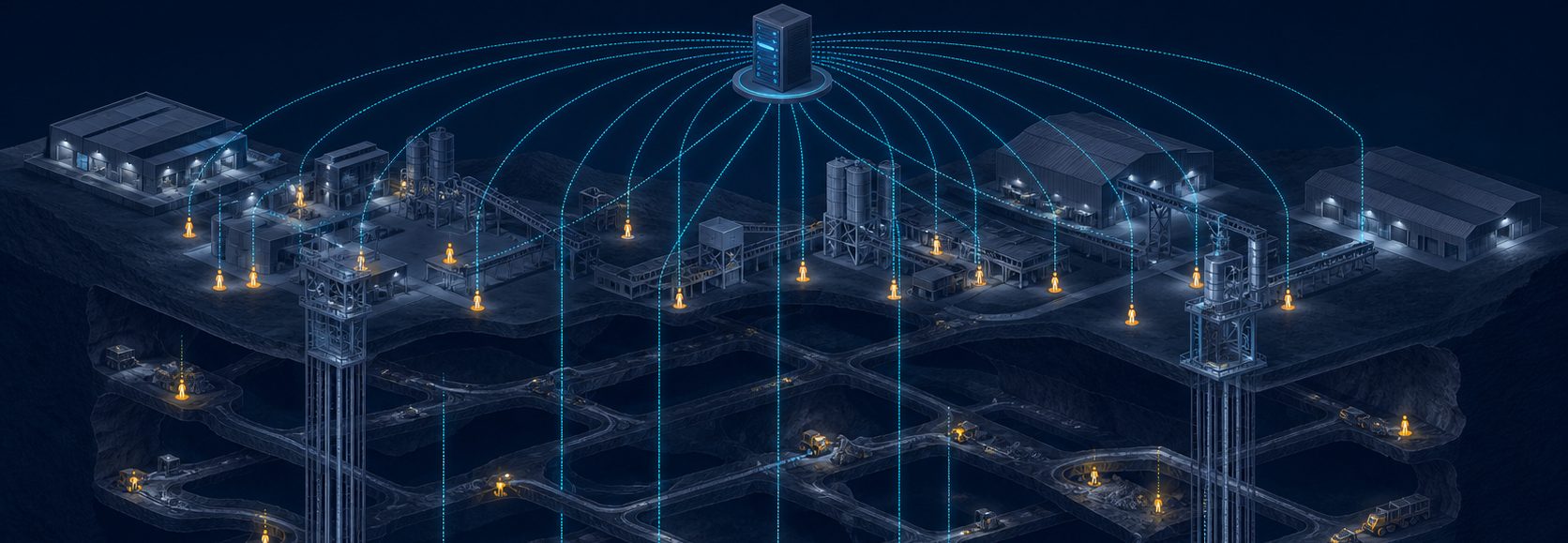
Personnel and vehicle positioning system
Location of people and vehicles. Zone control. Notifications and analytics.
RealTrac Positioning
Monitor the location of personnel and vehicles on a digital map of your site in real time. Track movements, handle alarm events and analyze site operations data in a single software interface.
- Indoors and in open areas.
- Monitoring of current and last known location.
- Movement history, events and reports.
RealTrac Positioning (RTLS) is part of the RealTrac industrial safety product line, which also includes products for voice communication, industrial data transmission and the prevention of vehicle-to-vehicle and vehicle-to-pedestrian collisions.
From location to control of what happens on site
RealTrac combines location, movement and event data so that the dispatcher can assess the current situation, and site specialists can review what happened and generate reports.
Where is the employee or vehicle?
Find the employee or vehicle you need on the map. When no current coordinates are available, the system shows the last recorded position.
Who is in the controlled zone?
View the personnel and vehicles in specified zones. Groups are updated automatically according to the configured entry and exit rules.
Which events need attention?
Receive information about alarm events, filter them by source and severity, and confirm that they have been handled.
What happened during the selected period?
Play back movement history and generate reports on zones, locations and events.
From the device on site to the information on the dispatcher's screen
Personnel and vehicle devices send data to the system. The RealTrac server processes location and event information, and the user receives it on the digital map, in the event log and in reports.
1. Personnel and vehicles
Devices are assigned to the employees and vehicles being monitored.
2. Positioning infrastructure
Fixed devices determine location in the areas defined by the project.
3. RealTrac server
Collects and processes data on location, movements and events.
4. User workstation
Site map, zones, notifications, history and analytical reports.
The equipment set and infrastructure layout are defined for each specific site and its monitoring tasks.
Different areas of the site, different ways to determine location
RealTrac supports precise, zonal and global positioning. Choosing the mode lets you match monitoring tasks to the infrastructure and conditions of each area.
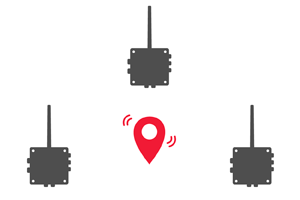
Precise positioning
Display of personnel and vehicle positions on the map within the coverage of the precise positioning infrastructure.
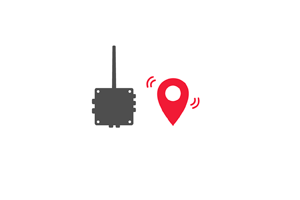
Zonal positioning
Identification of the zone where an employee or vehicle is located, when presence in a specific area is what matters for the task.
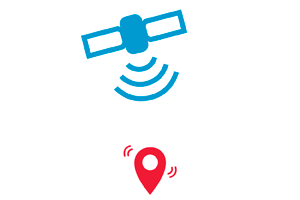
Global positioning
Display of location based on GNSS data in open areas when the appropriate equipment is used.
Movement graphs for tunnels and narrow passages
Graphs describe the permitted directions of movement between areas of the map. In narrow spaces, they help filter out false positions caused by signal reflections and can reduce the number of access points required.
The current situation on site in one interface
The RealTrac 5.0 map brings together the location of personnel and vehicles, the site structure and notifications. The user can find a specific employee, follow their movements and filter the display by department or connection status.
Site map
View the location of personnel and vehicles on digital maps, building plans and levels.
Search and follow
Find the employee or vehicle you need and turn on follow mode: the map follows the selected object as its coordinates are updated.
Filters
Display the departments you need and take the connection status of devices into account.
Events
Select events by source and severity to focus on the information that requires attention.
The system distinguishes between current and last known location.
Monitor presence and movement in defined zones
Create control zones on the site map and see who is inside them. Configured rules let you record entries and exits, update groups automatically and generate zone alarms.
- View of personnel and vehicles in the selected zone.
- Automatic update of group membership.
- Logging of entry and exit events.
- Alarm when someone enters a zone with alarm mode enabled.
Use case
An alarm zone is set up in a restricted-access area. When an employee enters this zone, the system generates an alarm according to the specified parameters.
Notifications tailored to your site's scenarios
RealTrac supports alarms from devices and the server, personal notification of selected employees, and zone and general alarms. Events are displayed in the user interface and handled according to the configured rules.
Panic button
An employee triggers an alarm from the device. The event is sent to the server and displayed in the operator interface.
No movement
The system generates an alarm event based on the configured no-movement conditions.
Fall from height
Where the function is supported, the system registers a fall event and notifies the operator.
Personal notification
The operator sends an alarm to one or more selected employees.
Zone alarm
An alarm is generated automatically when someone enters a zone with alarm mode enabled.
General alarm
The operator triggers a notification to all device carriers in the system.
Up to 7 custom general alarm scenarios
Set up different signals for different situations, for example “Fire”, “Evacuation” or “Gas hazard”. Scenarios can differ in the combination of sound, light and vibration, and in the sequence, duration and repetition rate of the signals.
The meaning of each signal is defined by the site's procedures. Personnel must be trained to recognize them.
When a general alarm is activated, the system's charging cabinets also display a message and play an audible signal.
The system complements existing safety procedures and does not replace them. Notification capabilities depend on the equipment, configuration and operating conditions.
Not only monitor, but analyze
Use movement history, standard reports and analytical dashboards to review events and assess the presence of personnel and vehicles on site.
Reconstruct the sequence of movements
Select an employee or vehicle and play back the route for a given period. The timeline shows intervals with a registered location and periods without location data.
A single history view covers up to three days.
Get data on the parameters you need
- Arrival and departure times.
- Analysis by zone.
- Individual and group movements in zones.
- Periods without movement.
- Issue and return of personal trackers.
- Location of personnel and vehicles.
Visual analytics by zone, object and event
Superset analytical dashboards show the time spent in zones and at facilities, the number of entries, periods without movement, entries into hazardous zones and registered alarm events. Data can be filtered by period, zone, department and carrier.
The availability of analytical dashboards depends on the system configuration and user permissions.
Equipment and software platform for your site
All equipmentThe solution combines personnel and vehicle devices, positioning infrastructure and the server application. Additional components are selected for identification, device issue, notification and analytics tasks.
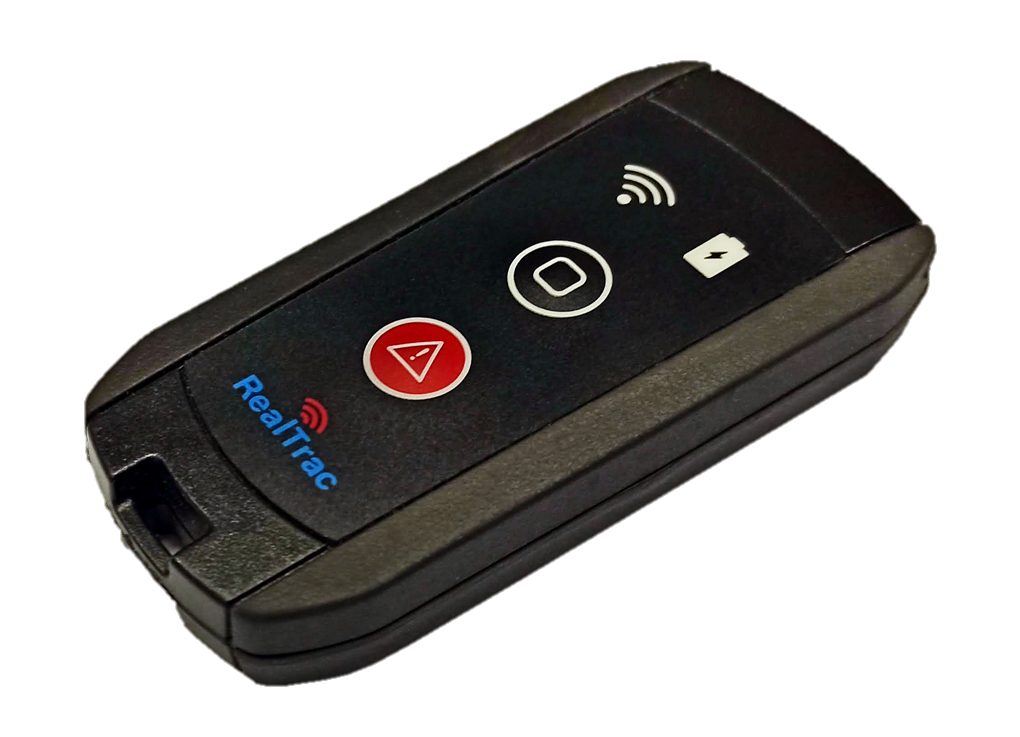
PROD TAG 210
Personal tag for indoor positioning: transmits the employee's location and event data, panic button, fall and immobility detection.
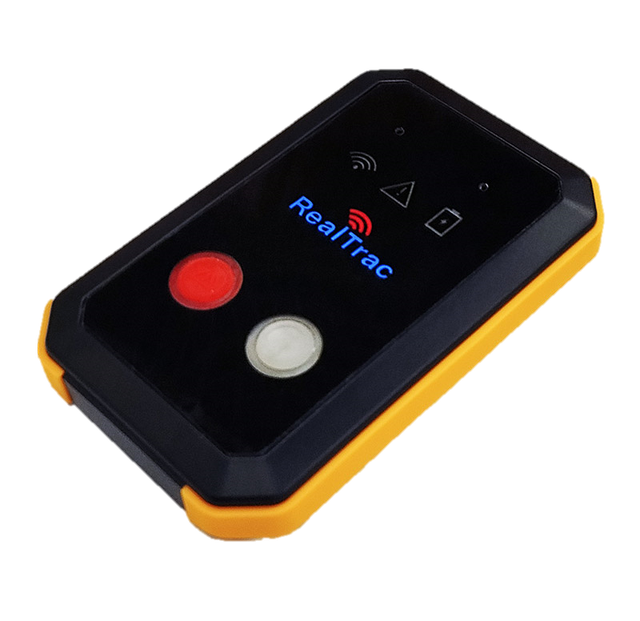
PROD TAG 730
Hybrid personal tag: indoor positioning and GNSS positioning in open areas, panic button, fall and immobility alarm.
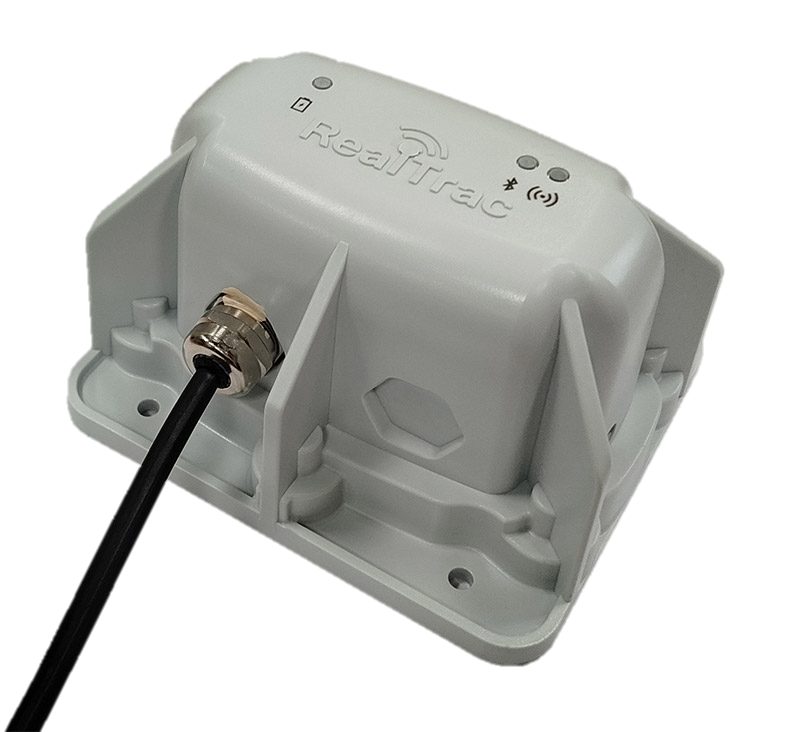
PROD POINT 520
Industrial access point: zonal and precise positioning in the areas defined by the project.
Vehicle devices
Monitoring of vehicle location and movements.
Server application
Map, zones, events, movement history and reports.
Charging cabinets
Device charging, with supported functions for device issue, return and notification.
RFID identification
Identification of the carrier by RFID card when the appropriate reader is used.
Devices are available in the BASE, PROD and EXIA lines to suit the operating conditions of the site. For the software, see the RealTrac Software page.
Distributed configuration with multiple servers
For a distributed architecture, RealTrac supports a cluster configuration that synchronizes maps, objects, zones and graphs between servers and applies rules for displaying carriers across them.
Working together with RealTrac Collision Avoidance System (CAS)
RealTrac Positioning can be used on its own or as part of an integrated industrial safety system together with RealTrac CAS.
RealTrac 5.0 software platform capabilities
Updated interface
Separate areas for the map, carriers, objects and notifications.
History for operators
Movement history is available to users with the Operator role.
Custom alarms
Up to 7 configurable general alarm scenarios.
Movement graphs
Permitted directions of movement for narrow spaces and tunnels.
RFID and data import
Identification by RFID card and bulk import of carrier data from CSV.
Analytical dashboards
Visual analysis of time on site, movements and events in Superset.
Monitoring scenarios for different areas of your site
Production facilities
Display of personnel and vehicles on building and level plans, monitoring of presence in zones and movement analysis.
Tunnels and narrow passages
Movement monitoring that takes permitted directions into account, with movement graphs to handle signal reflections.
Open areas
Monitoring on a digital map of the area, including global GNSS positioning when the appropriate devices are used.
Industry solutions based on RealTrac Positioning
All solutions
Mining industry (underground mines)
Mining industry (open-pit mines)
Manufacturing and processing

Logistics (logistics centers and warehouses)
Oil and gas industry (upstream, midstream, downstream)

Transport (metro, surface transport, parking lots, garages and more)

Custom development for your needs
Integration
Open APIIntegration with electronic permit-to-work and maintenance and repair (MRO) management systems is performed at the software level.
Start with the tasks of your site
Describe the areas to be monitored, the number of employees and vehicles, and the required scenarios. This information will help define the solution and prepare a proposal for your project.
1. We define the tasks
We clarify where location needs to be monitored and which zones and events matter.
2. We work out the configuration
We define the positioning methods, equipment and infrastructure layout.
3. We agree on solution validation
If needed, we define the conditions for a demonstration or a pilot project.
4. We plan the launch
We agree on implementation, system setup and user training.
We will help you choose a positioning configuration for your site
Tell us where you need to monitor personnel and vehicles. Specify your main tasks, such as monitoring, zone control, notification or analytics, and we will discuss the right solution with you.