
Positioning of rescue personnel during operations
Monitor the location of rescuers and vehicles, receive SOS signals and send alerts to team members. The RealTrac mobile kit helps the team leader coordinate work in the field, including outside cellular network coverage.
- Team location on the map.
- Alarms and alerts on personal tags.
- A mobile kit for field operations.
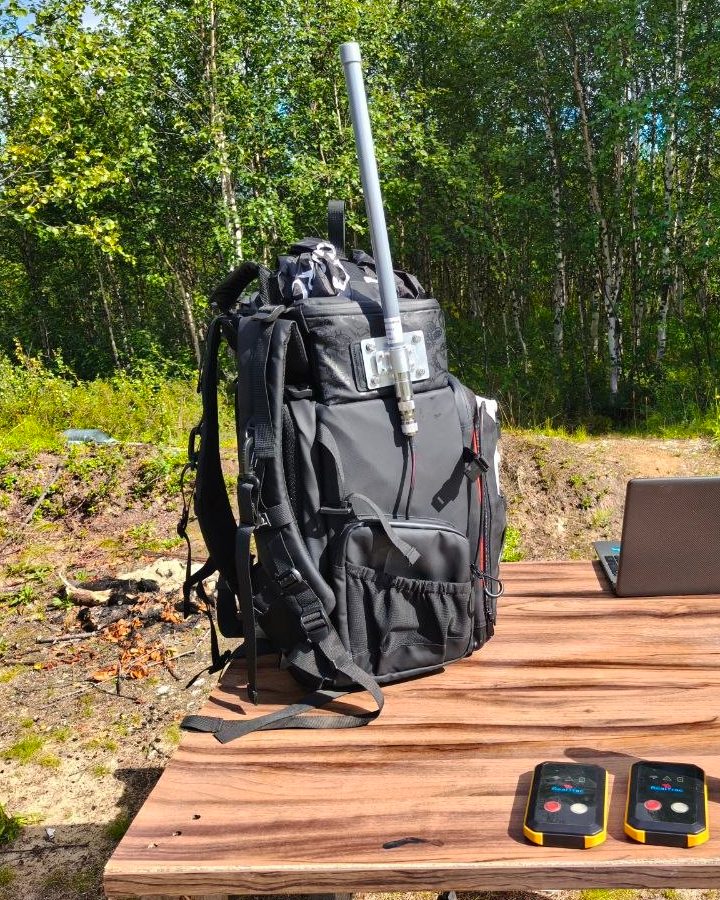
Monitor your team and respond to events
The whole team on one map
The location of team members and equipped vehicles is shown on the team leader's smartphone or tablet. This helps to see how people are distributed across the operation area.
Monitoring without a cellular network
A dedicated radio channel can be used to transmit coordinates and alarms. The solution is designed for open areas outside cellular network coverage.
A call for help linked to a person
Pressing SOS, a detected fall or prolonged immobility generates an alarm event. The team leader receives information about the team member who may need help.
Alerts with acknowledgment
The team leader sends predefined alerts to personal tags and receives acknowledgment of receipt from team members.
Team information on the team leader's screen
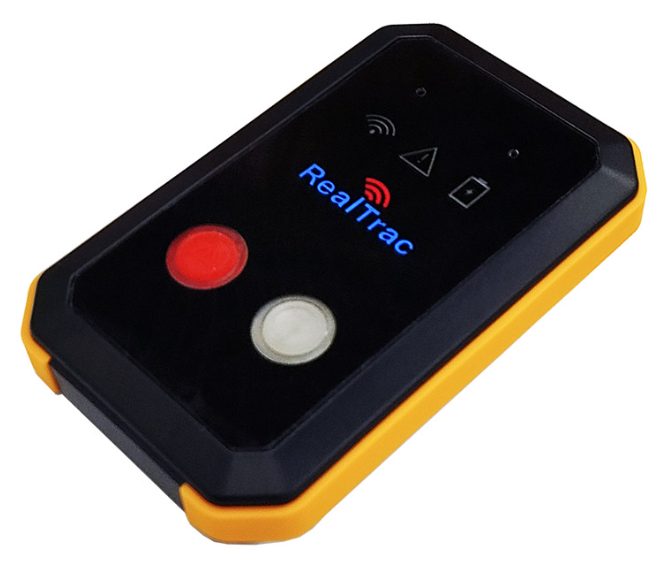
Team members receive personal tags, and the mobile kit provides data exchange within the radio coverage area. The team leader sees the team's location, receives alarms and sends alerts from a smartphone or tablet.
1. Personal tag
Transmits coordinates and alarm signals. Lets the wearer call for help with the SOS button and acknowledge an alert.
2. Mobile kit
Combines radio communication equipment and an autonomous power supply in a portable design.
3. Team leader's smartphone or tablet
Shows the map, team members, vehicles and incoming events.
4. Return alerts
Sends signals to team members and helps confirm that a command has been received.
The coverage area and kit configuration are selected for the territory, terrain and operating conditions.
Helps monitor the team at every stage of the operation
Operations in a remote area
When team members are spread across an area, the team leader sees their location on a shared map. This helps compare the actual distribution of the team with the tasks in the operation area.
A team member needs help
When SOS is pressed or a configured automatic alarm is triggered, the team leader receives an event and the team member's location. This information helps determine who needs a check and where.
The boundaries of a hazardous area have changed
Hazardous and safe zones can be marked on the map. When a team member enters a zone with alarm mode enabled, the system generates an alert.
The team returns to the assembly point
Monitoring presence in a defined zone helps determine who has already arrived at the assembly point and who has not. The team leader gets additional information to verify the team roster.
Not only see team members, but also send them signals
Receive information about alarm events
The SOS button lets a team member report the need for help. With the appropriate equipment, the system also sends alarms for falls and prolonged immobility.
From team leader to team memberSend predefined alerts
Use distinct signals for different situations, for example, to gather the team or to leave a hazardous area. The team member receives the alert on the personal tag and can acknowledge it.
The alert method and the available scenarios depend on the selected tags, kit configuration and system settings.
Map, alarms and history in a single interface
The team leader gets the overall picture: where team members are, which events have arrived and how the team moved across the area. History and reports can be used to debrief completed operations and drills.
Map
Location of team members and vehicles.
Zones
Marking of monitored areas.
Events
Incoming alarms and notifications.
History
Review of movements for a selected period.
A mobile kit for the needs of your unit
Personal tags
To determine the location of team members, send SOS and receive alerts.
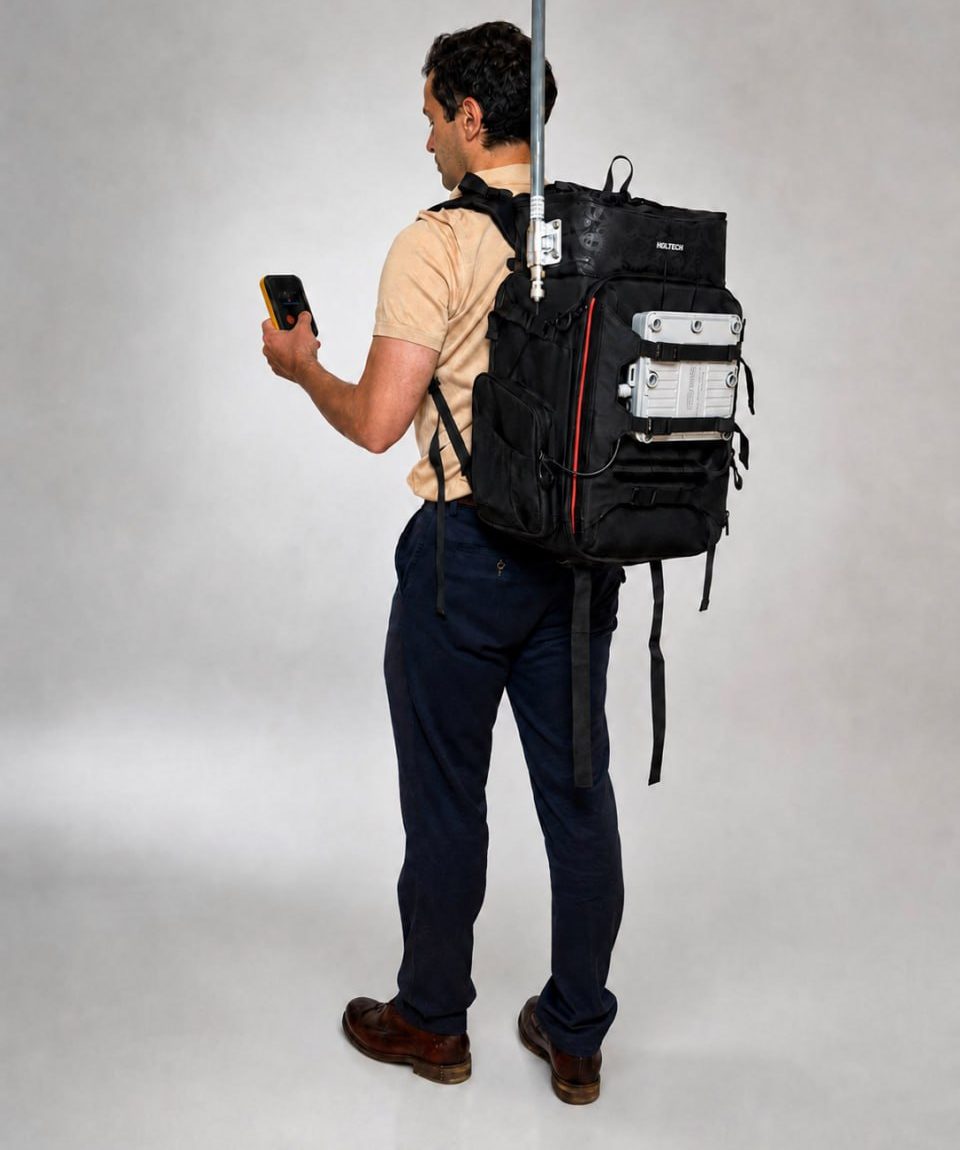
Portable communication and power kit
To set up data exchange in the operation area. A portable backpack kit is available.
Team leader's workstation
A smartphone or tablet with the team map and event information.
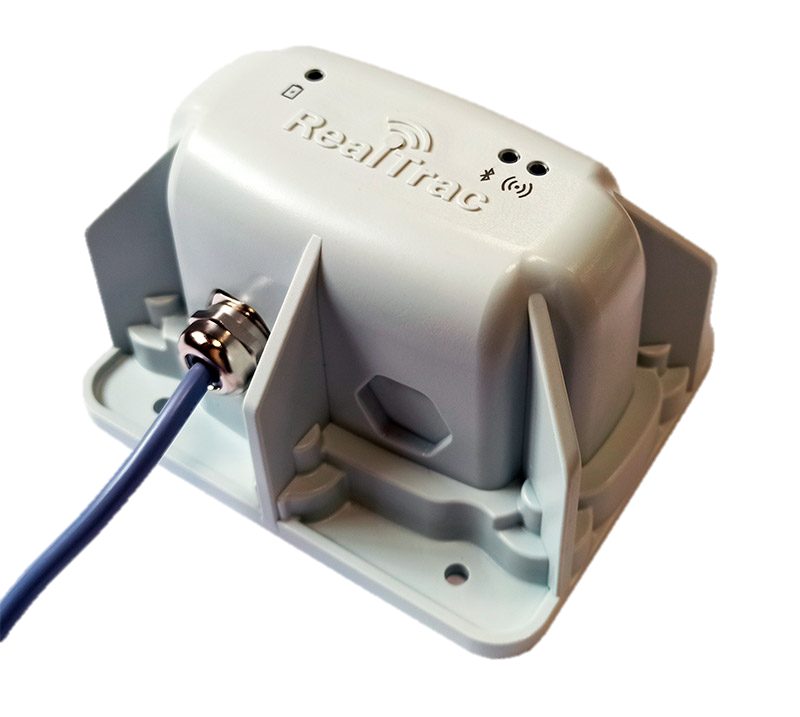
Vehicle tags, if required
To show equipped vehicles on the same map as team members.
The configuration depends on the team size, the operation area, the required battery life and operating conditions.
Capabilities for advanced scenarios
Monitoring vehicles near people
With additional equipment, the solution can be used together with the RealTrac Collision Avoidance System (CAS) to warn of dangerous proximity.
Gas detector data
When a compatible gas detector is connected, gas concentration data can be transmitted to the team leader.
Operations inside equipped facilities
Indoor positioning uses separate RealTrac infrastructure. The scope and capabilities of such a solution are defined by the project.
Questions and answers
Does the solution work without mobile internet?
Yes. For open areas, there is a configuration that transmits coordinates and events over a dedicated radio channel outside cellular network coverage. The actual operating range depends on the terrain and equipment placement.
Can team members be seen inside a building?
Precise indoor positioning requires appropriate infrastructure. The capabilities of the mobile kit for open areas and of the indoor solution differ and are selected for the task.
Can signals be received from a team member and alerts sent back?
Yes. SOS transmission, alerts to personal tags and acknowledgment of receipt by the team member are supported. The available signals depend on the kit configuration.
Can the data be used to debrief drills?
Yes. Movement history, events and reports help reconstruct the sequence of actions and analyze the team's work.
RealTrac is an additional tool for situational awareness and coordination. The solution does not replace standard communications, established safety procedures or personnel accountability.
Choose a kit for your rescue team
Tell us where your unit operates, how many people take part in deployments and what you need to monitor. We will select the solution components and discuss how it can be used.
In your request, please describe the operation area, team size, availability of cellular coverage and battery life requirements.