

RealTrac Office
Personnel location on the building floor plan, movement history and time spent in zones.
Personnel positioning in office buildings with BLE
Determine which monitored zone an employee is in. View movements between zones and analyze presence time based on data from personal BLE tags.
- Personnel location on the building floor plan.
- Movement history and time spent in zones.
- Personal tags and fixed access points.
Get a project quote How the system works
The configuration is chosen to fit the building layout, the number of employees and the monitoring tasks.
A clear picture of staff presence in the office
RealTrac Office helps you work with employee location data: see the current presence zone, review previous movements and assess time spent in monitored spaces.
Find an employee
See which monitored zone an employee with a personal tag is in, so you can plan a meeting or reach out.
See who is in a zone
Get a list of employees whose devices are detected in the selected zone. Use this information to coordinate work and get a quick overview of who is present.
Review movements
Review an employee's movement history between monitored zones for a selected period.
Analyze presence time
Use reports to assess how much time employees spend in selected zones and compare data for individuals or groups.
Detecting the presence zone, not a specific workplace
RealTrac Office uses BLE for zonal positioning of personnel. The system determines the location of a personal tag within configured monitoring zones and displays the data in the interface.
This approach suits tasks where you need to know an employee's presence zone and their movements between monitored spaces, rather than exact coordinates at a specific desk.
Employee: John Smith
Zone: administrative wing
Data update: time of the last update
Sample data.
The size and boundaries of distinguishable zones are defined during design and on-site testing of the system. The floor layout, equipment placement and radio conditions are taken into account when choosing the configuration.
From a personal tag to data on the building floor plan
1. Personal BLE tag
The employee wears a tag assigned to them in the system. The tag is used to determine their location in monitored zones.
2. Access points
Fixed access points exchange data with the tags. Their placement is chosen to match the floor layout and the required zone detail.
3. RealTrac server
The server processes and stores monitoring data and runs the interface, history and reports.
4. User workstation
Authorized users view the building floor plan, employee locations and the available monitoring data in a web interface.
Location, history and reports in one interface
The RealTrac software platform brings together the site map, employee data, movement history and zone reports. Each user works with the sections available to their assigned role.
Map
View personnel locations on the building floor plan. Work with the employee list, objects and notifications in separate panels.
History
View an employee's movements for a selected period. The timeline helps tell apart periods with location data from periods without a location.
Zones
Work with monitored zones and groups of employees formed by their actual presence in those zones.
Reports
Analyze movements in zones with individual and group reports. Additional reports are agreed to fit the project's tasks.
Employees and access
Maintain employee data, assign personal devices and manage user access to working and administrative sections.
How to use positioning data in an office building
Day-to-day coordination
See the zone where a specific employee is present or who is in a selected zone. Use the data to organize meetings and coordinate administrative and service tasks.
Zone presence analysis
Find out how much time employees spent in monitored spaces. Use the reports as a data source for analyzing how work is organized.
Support for the security team
Give authorized staff access to personnel location data and movement history when investigating incidents.
Positioning data complements existing procedures and other information systems. RealTrac Office does not replace the access control system, fire alarm system or mandatory safety measures.
Equipment and software for your site
All equipment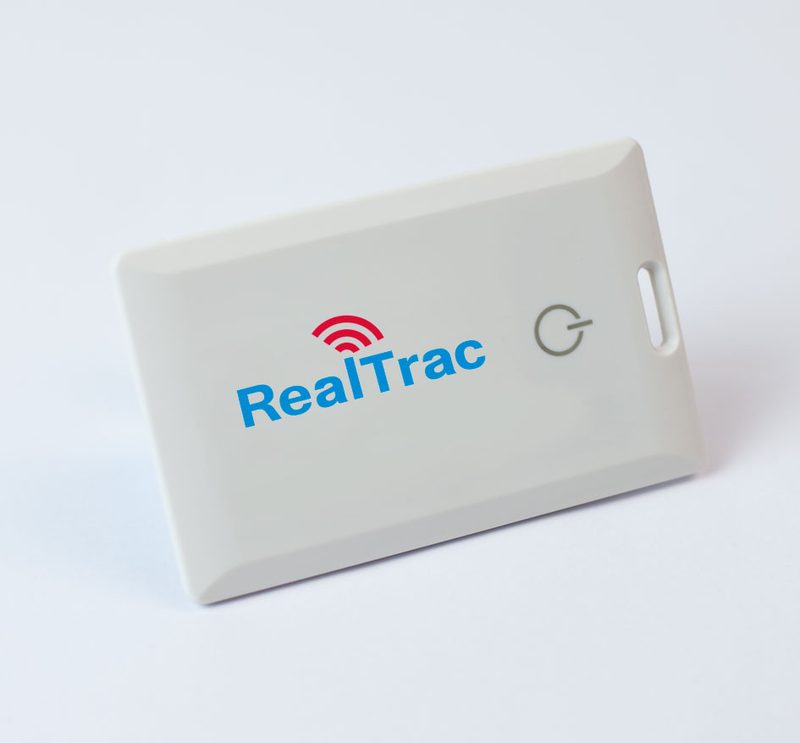
Personal BLE tag
A wearable device for zonal positioning of an employee. The design, mounting method and battery life are chosen to meet the project requirements.
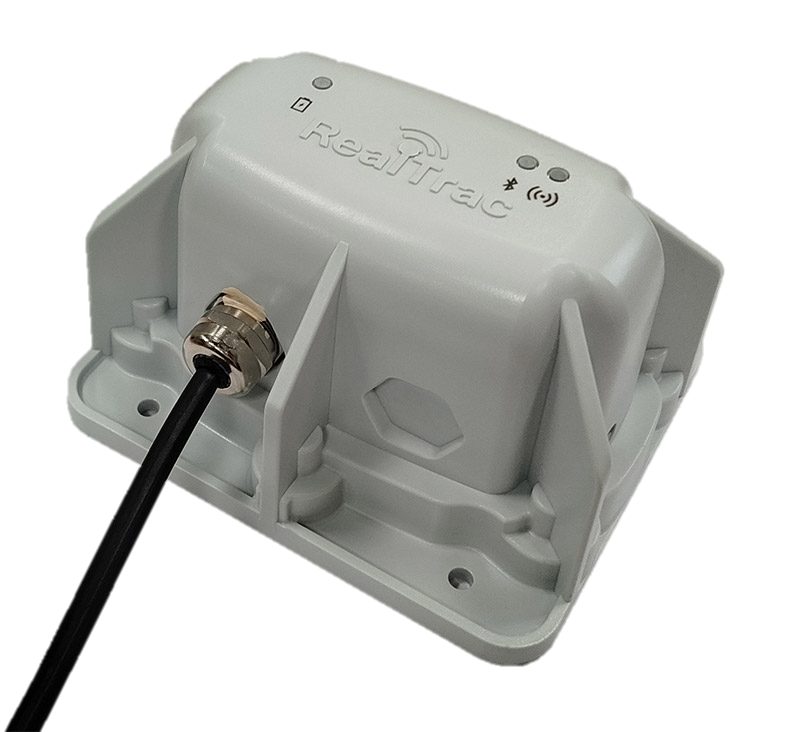
Access point
A fixed device for exchanging data with personal BLE tags. Access points are placed according to the layout of the monitored zones.
RealTrac server and software
Processing and storage of monitoring data, display of personnel on the building floor plan, movement history and reporting.
We take the existing building infrastructure into account
Access control system
At the design stage, compatibility with the existing access control system is reviewed. Whether identifiers can be shared depends on the selected tags, readers and card standards.
Building network
Whether access points can be connected to the existing network is assessed based on the network architecture, available power and the IT department's requirements.
Server hosting
The server hosting option is agreed with the customer, taking into account data storage, operation and user access requirements.
From the building layout to a working system
1. Define the tasks
We clarify which zones need to be monitored, how many employees take part in monitoring and what data users need.
2. Survey the site
We review floor plans, room features, the network infrastructure and the requirements for equipment placement.
3. Validate the configuration
If needed, we run a pilot test of the selected zones and use cases before a full-scale rollout.
4. Deploy the system
We install the equipment and set up the map, zones, employee data and user permissions.
5. Test and hand over
We test the agreed use cases, train users and hand the system over for operation.
What we need for a quote
Prepare floor plans, the number of employees, a list of zones to monitor and information about the building network. If integration with an access control system is required, specify its manufacturer and the identifiers used.
Frequently asked questions
How does zonal positioning differ from precise positioning?
Zonal positioning determines whether an employee is present in a configured monitoring zone. It is not designed to reliably identify a specific workplace or the exact path between desks.
Can individual rooms be told apart?
Whether specific rooms can be distinguished is checked during design and on-site testing. BLE coverage alone does not guarantee that each adjacent room will be detected as a separate zone.
Does the employee need to wear a device?
Yes. Positioning uses personal BLE tags. The system shows the location of the assigned device, so the tag must be worn according to the established operating procedure.
Can movement history be viewed?
Yes, RealTrac 5.0 has a dedicated movement history interface. The data retention period is agreed for each project. The selected viewing interval can be up to three days; this does not mean that the whole history is stored for only three days.
Can the solution be used together with an access control system?
This is possible with the corresponding equipment versions. Compatibility is checked against the specific tags, card standards and the existing access control system.
How often does the battery need to be replaced or the tag charged?
It depends on the model and operating mode. For each project, the battery life of the selected device is specified rather than a single value for all tags.
Who will be able to see employee data?
User access is defined by assigned roles and system settings. In RealTrac 5.0, working interfaces and administrative settings are separated by role.
Can the system be used instead of safety systems?
No. RealTrac data complements existing procedures and other systems, but does not replace them and must not be the only basis for safety-related decisions.
We will select a RealTrac Office configuration for your building
Tell us about your site and your tasks. Based on the floor layout, the number of employees and the required zones, we will prepare a proposal for the system configuration.